
Finding an AI tool is easy. Finding the right one is much harder. A search for an AI writer, image editor, coding assistant, or video generator can produce an overwhelming mix of established products, new launches, sponsored recommendations, and tools that solve slightly different problems. HuntifyAI is designed to make that discovery process more manageable by bringing AI products together in a curated, searchable directory.
Instead of asking visitors to work through an unstructured list, HuntifyAI organizes tools by category, use case, and pricing model. It also gives individual products their own detail pages, making it easier to understand what a tool does before visiting its official website. In this guide, we will look at how HuntifyAI works, what makes it useful, and why focused products such as AI Passport Photo belong in a modern AI tools directory.
What Is HuntifyAI?
HuntifyAI is an online directory for discovering AI tools, AI models, and alternatives. Its central idea is simple: people should be able to describe what they want to accomplish and quickly narrow the market to relevant options. The directory covers broad creative and technical areas, including writing, image and design, video, voice and audio, productivity, marketing, coding, education, and AI detection.
The site combines several familiar discovery methods. Visitors can search for a particular capability, browse category pages, explore featured selections, review newly added products, or open a listing to learn more. This structure serves both people who already know the kind of software they need and those who are still exploring what AI can do for them.
Why an AI Tools Directory Is Useful
The AI software market changes quickly. New products appear every week, while existing ones add features, adjust prices, or shift their focus. General web search is valuable, but it does not always provide a clean comparison between products that belong to the same practical category. A dedicated directory adds a layer of organization.
For example, someone searching for an image tool might need a general image generator, a background remover, a photo enhancer, or a document-photo service. Those products all involve images, but they solve very different problems. HuntifyAI separates tools into more specific categories so that users can move from a broad interest to a relevant shortlist.
This approach can reduce research time in several ways:
- Category-based browsing: Visitors can explore tools grouped around a recognizable task or field.
- Concise summaries: Listing cards explain the main purpose of a product without requiring users to open many separate websites.
- Pricing labels: Labels such as free, freemium, or paid provide a useful first filter, although users should always confirm current pricing with the provider.
- Alternative discovery: Related tools help users continue their research when the first option is not a perfect fit.
- Fresh additions: A section for new products makes the directory useful for following a fast-moving market.
How HuntifyAI Organizes Its Directory
HuntifyAI is built around use cases rather than a single type of AI. Its category system spans consumer, creative, and professional workflows. A marketer might browse SEO, advertising, or content tools; a developer can explore code generation and development assistants; a creator can compare image, music, or video products; and a student or knowledge worker can investigate research, summarization, and productivity options.
The homepage offers multiple routes into the catalog. Search is the fastest path when you can name the desired capability. Category collections are more useful when you want to compare a field. Featured and new-tool sections support open-ended browsing, while detailed product pages provide context about features, use cases, platform availability, and pricing.
HuntifyAI also states that submissions are reviewed by its editors and that listings are assessed for factors such as utility, design, pricing transparency, and real-world usefulness. That editorial layer is important because a directory is most valuable when it offers more than a database of links. Even so, a listing should be treated as a starting point for evaluation rather than a substitute for testing a product or checking its official terms.
A Closer Look at HuntifyAI Tool Pages
A good directory page should answer a few essential questions: What does this product do? Who is it for? What are its main capabilities? How is it priced? Where can the user try it? HuntifyAI's individual listings are structured around those practical questions.
Depending on the available information, a listing may include a short overview, key functions, typical use cases, quick facts, frequently asked questions, and alternative products. The direct link to the provider remains prominent. This makes a HuntifyAI page useful both as a quick introduction and as a bridge to deeper product research.
AI Passport Photo Is Featured on HuntifyAI
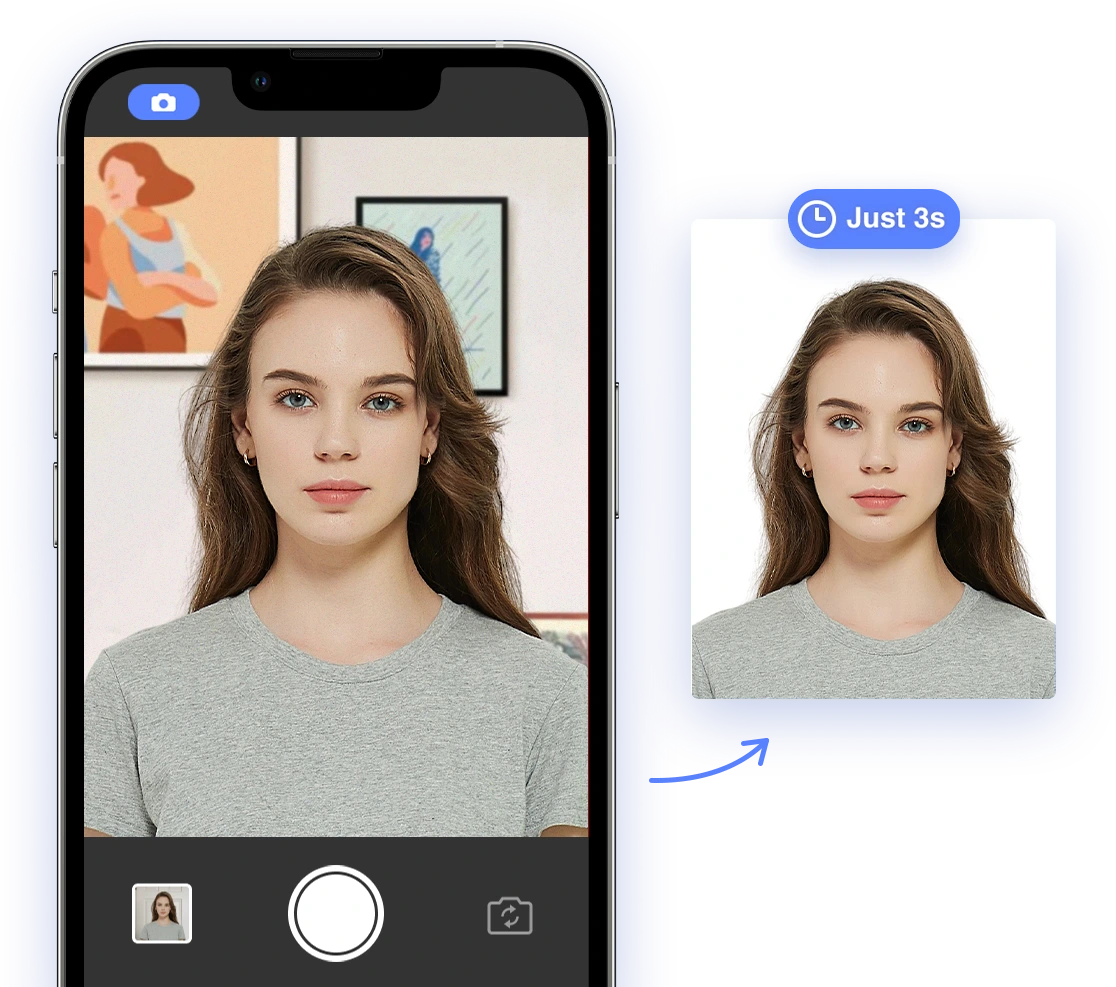
One of the specialist tools featured in the HuntifyAI directory is AI Passport Photo on HuntifyAI. Its inclusion is a helpful example of the range covered by the platform. Not every useful AI product needs to be a general-purpose chatbot or content generator. Some of the most practical tools apply automation to one clearly defined task.
AI Passport Photo is presented as a browser-based tool that turns a phone photo into a passport, visa, or ID photo. According to its HuntifyAI listing, the service checks factors such as head position, image size, background, lighting, and pose. It can then adjust the background and crop the image to the selected document specification. The listing also highlights support for multiple document formats, a free compliance check, retakes, and a downloadable result.
This is exactly where a focused directory listing can help. Someone may know that they need an online passport photo tool without knowing which search terms describe features such as compliance checking or specification-based cropping. HuntifyAI gives the product a clear category context and summarizes the workflow before the visitor leaves the directory.
Why AI Passport Photo Fits the Directory
AI Passport Photo sits at the intersection of photo editing and administrative convenience. A conventional image editor can crop a picture or change a background, but official document photos depend on precise requirements that vary by document and country. A purpose-built service aims to guide the user through those constraints rather than merely offering generic editing controls.
Its presence on HuntifyAI also illustrates three strengths of a broad AI directory:
- Specific tools become easier to discover. A narrow but important product can appear alongside other image and photo utilities without being lost among general search results.
- Users can understand the use case quickly. The listing explains that the tool is intended for document photos, not cosmetic portrait editing.
- Categories create useful context. Visitors can move between passport-photo, background-removal, and photo-editing categories while comparing possible solutions.
Users should still verify the latest requirements with the authority receiving their application. A software tool can assist with preparation, but the issuing agency has the final say on whether a submitted photo is acceptable.
Who Can Benefit From HuntifyAI?
HuntifyAI can be useful to several types of visitors. Individuals can use it to find a tool for a one-time task, such as creating an ID photo, summarizing a document, or removing an image background. Professionals can scan a category before choosing software for an ongoing workflow. Teams can use the directory during early product research, and AI enthusiasts can follow recent additions to see how the market is evolving.
The platform is also relevant to software makers. HuntifyAI accepts product submissions and offers listing options for developers who want their tools to be discovered through category pages and search. For smaller or highly specialized products, appearing in the right use-case collection may connect them with a more relevant audience than broad promotion alone.
How to Use HuntifyAI Effectively
A directory is most useful when it supports a decision process. Start with the task, not with the most familiar brand name. Search for a concrete outcome such as “passport photo,” “video API,” or “background remover,” then open several relevant listings.
Next, compare the product summaries and pricing labels, but confirm important details on each tool's official site. Check whether the product supports your country, language, file type, platform, or commercial-use needs. For sensitive tasks, review privacy and data-handling policies as well. Finally, test the smallest free workflow available before committing to a subscription or paid download.
This process turns HuntifyAI into a research shortcut without treating any directory entry as the final word. The directory helps build the shortlist; hands-on testing and current provider information help make the final choice.
Final Thoughts
HuntifyAI addresses a real challenge in the current software landscape: useful AI products are plentiful, but discovery is fragmented. By combining search, detailed categories, featured selections, new arrivals, and individual product pages, it gives visitors a practical way to explore the market by need.
The featured AI Passport Photo listing shows why this model works. A focused tool for preparing passport, visa, and ID photos becomes easier to find and understand when it is placed in the right categories and supported by a clear summary. Whether you are comparing major AI platforms or looking for a tool that solves one specific problem, HuntifyAI is a useful place to begin your search.