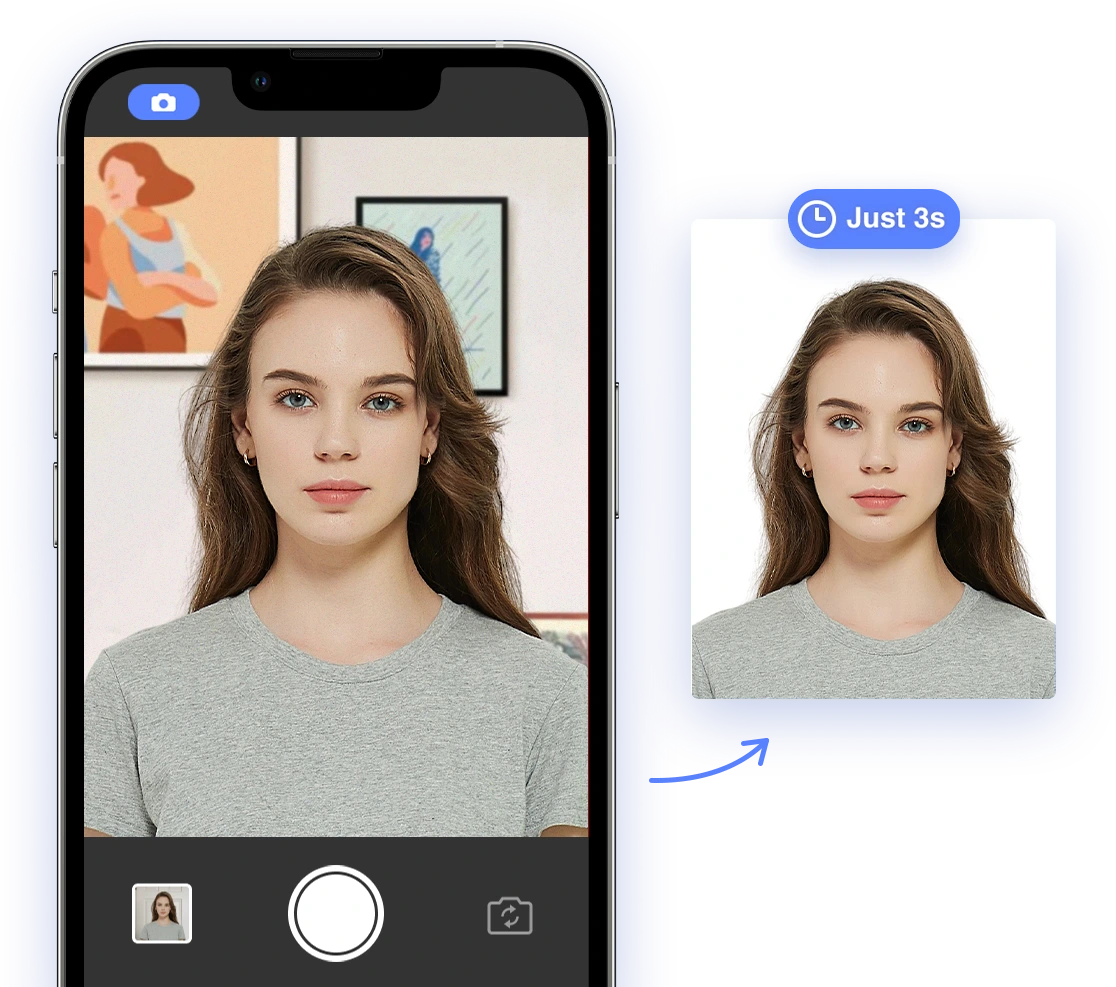
Securing your infant's passport is an exciting step towards family adventures, but the photo requirements can feel daunting. Getting that perfect, compliant passport photo of your little one often feels like an impossible task. This guide provides a clear, step-by-step approach, empowering you to take passport photos at home with confidence, while also leveraging the best AI-powered solutions. We'll help minimize stress and maximize your chances of first-time approval, so you can focus on planning that dream trip.
## Understanding Infant Passport Photo Requirements in 2026
Passport photos must adhere to strict guidelines, and these can be especially tricky for infants. Knowing the specific criteria is essential to avoid rejection and ensure a smooth application process. Here's a breakdown of the key requirements for 2026, based on the U.S. Department of State guidelines:
* **Size:** 2x2 inches (51x51 mm). The head size must be between 1 inch and 1 3/8 inches (25 mm and 35 mm).
* **Background:** Plain white or off-white, without patterns or textures.
* **Recency:** Taken within the last 6 months to reflect the baby's current appearance.
* **Pose:** Face the camera directly with a visible full face.
* **Expression:** While a neutral expression with open eyes is preferred, some leniency is given for infants. Newborns' eyes don't need to be fully open.
* **No Obstructions:** No hats, toys, pacifiers, or visible hands. Head coverings are only acceptable if required for religious or medical reasons, with a signed statement.
* **Lighting:** Even lighting with no shadows or glare. Natural light is best.
* **Quality:** Clear, sharp, and not blurry or pixelated. No filters or digital alterations.
* **Attire:** Simple, neutral clothing. Avoid bright colors or busy patterns.
## DIY Techniques for Stress-Free Infant Passport Photos
Taking passport photos at home offers convenience and control, especially with a little one! Here's how to maximize your chances of success with these simple DIY tips:
### 1. Setting the Stage
* **Background:** Use a white sheet, blanket, or smooth wall as a backdrop. Ensure it's clean, wrinkle-free, and without patterns.
* **Lighting:** The best lighting is natural light from a window. Avoid direct sunlight, which can create harsh shadows. If natural light is insufficient, use soft, diffused artificial light – avoid using a flash directly.
### 2. Positioning Your Baby
* **Lying Down:** Place the baby on a white sheet or blanket on a well-lit surface. Take the photo from directly above, ensuring the entire face is visible, and no shadows are cast on the face. This works well for newborns. Watch this helpful video for tips: Tips for taking US passport photos of babies
* **Car Seat Method:** Cover a car seat with a white or off-white blanket to support the baby's head. This can help keep the baby upright, particularly for infants who can't yet sit unassisted. Ensure the straps are not visible.
* **Assisted Sitting:** If your baby can sit with support, position them on a padded surface against a white backdrop. Make sure another person is supporting them, but their hands or any part of their body must not be visible in the photo.
### 3. Capturing the Perfect Shot
* **Timing is Key:** Choose a time when your baby is well-rested, fed, and content. A happy baby is more likely to cooperate!
* **Engage and Focus:** Use toys, rattles, or peek-a-boo to get your baby to look towards the camera. Enlist a helper to stand near the camera and capture the baby’s attention, but ensure they remain outside the frame. Here's a funny take on getting a toddler to cooperate: How to take passport pictures of toddlers! * **Camera Settings:** Use a smartphone or camera with good resolution. Adjust settings to ensure clear, sharp images. Turn off the flash if possible, and use natural light.
* **Take Multiple Shots:** Capture numerous photos to increase your chances of getting one that meets all requirements. Patience is key!
## AI-Powered Solutions for Guaranteed Compliance
In 2026, AI-powered tools can significantly simplify the process of creating compliant infant passport photos, saving you time and reducing the risk of rejection. If you're not sure where to start, read our article on where to get passport photos
### 1. AI-Powered Passport Photo Apps
* **Background Removal:** Automatically removes and replaces distracting backgrounds with a plain white one.
* **Cropping & Resizing:** Precisely crops and resizes the photo to meet the exact size and head dimensions required.
* **Compliance Checks:** Intelligently analyzes the photo for adherence to all official requirements, including pose, lighting, obstructions, and more.
Popular AI-Powered Apps:
* **AI Passport Photo:** (We believe our service is the best! Our app is designed for accuracy and ease of use.)
* **PhotoAiD:** Offers AI compliance checks and includes human expert review for guaranteed acceptance, providing an extra layer of assurance.
* **Pixelied:** Automatically crops and resizes images using AI, simplifying the editing process.
* **iFoto:** Provides comprehensive AI editing tools specifically designed for baby passport photos.
### 2. Addressing Concerns About AI
* **Data Privacy:** Choose apps with transparent and robust privacy policies that clearly explain how they safeguard your data and photos. Look for apps that comply with data protection regulations.
* **Accuracy:** Use apps known for their accuracy and positive reviews. Read user testimonials and look for independent evaluations of their compliance checks.
* **Human Review:** For added peace of mind, opt for services that offer both AI checks and human expert review. This combines the speed and efficiency of AI with the nuanced judgment of a trained professional.
### 3. Important Considerations
While AI can greatly assist in the process, it's crucial to remember that *photos created, generated, or significantly edited with AI tools are not acceptable*. Only basic cropping and resizing to meet passport dimensions are permitted. The goal is to enhance, not alter, the original image. You may also want to check our article on passport photo retouching
## Troubleshooting Common Issues
Even with careful planning and AI assistance, challenges can arise. Here's how to troubleshoot common problems:
* **Shadows and Glare:** Adjust lighting by diffusing the light source with a white cloth or reposition the baby to eliminate shadows and glare.
* **Red Eye:** Use a reputable photo editing app to correct red eye, or adjust camera settings to prevent it.
* **Head Position:** Ensure the baby's head is straight and not tilted to either side. Use supports or gentle propping to maintain the correct position, but ensure they are not visible in the final photo.
* **Eyes Not Open:** Be patient and take multiple photos, waiting for moments when the baby's eyes are naturally open. Try making gentle noises or using visual stimuli to capture their attention. Remember, newborns are given some leniency on this rule.
* **Uneven Lighting:** Adjust your lighting source to be even and diffuse. This may involve using a reflector or a diffuser on your light source. Test the lighting by taking a photo of a white object and ensuring there are no dark or bright spots.
## Step-by-Step Guide: Taking Your Infant's Passport Photo
Here's a consolidated step-by-step guide to help you through the process:
1. **Prepare the Setting:** Set up a plain white background and ensure adequate, even lighting.
2. **Position Your Baby:** Choose the lying down, car seat, or assisted sitting method based on your baby's age and comfort.
3. **Capture the Photo:** Take multiple photos, using toys or sounds to capture your baby's attention and get them to look at the camera. Enlist a helper, but ensure they are not visible.
4. **Evaluate the Photos:** Review the photos to select the best option, ensuring it meets the basic requirements for pose, lighting, and clarity.
5. **Use AI-Powered Tools:** Utilize an AI passport photo app like AI Passport Photo to automatically crop, resize, and check compliance. For tips on choosing an app, review "AI Passport Photo Tools: Your Comprehensive Guide to Global Compliance [2024-2025]"
6. **Print the Photo:** Print the photo on high-quality, glossy or matte photo paper at the correct size (2x2 inches or 51x51 mm). You can print at home or use a local photo printing service. To ensure you get the size correct, read our article on size of wallet photo vs passport photo.
7. **Double-Check:** Before submitting, double-check all requirements against the official guidelines.
## Compliance Checklist
Use this checklist to ensure your photo meets all requirements before printing and submitting:
* [ ] Photo is 2x2 inches (51x51 mm).
* [ ] Head size is correct (1 to 1 3/8 inches).
* [ ] Plain white or off-white background.
* [ ] Photo taken within the last 6 months.
* [ ] Baby facing the camera directly.
* [ ] Full face visible.
* [ ] No obstructions (hands, toys, pacifiers, head coverings unless for religious/medical reasons).
* [ ] Even lighting with no shadows or glare.
* [ ] Clear, sharp image quality (no blurriness or pixelation).
* [ ] No filters or digital alterations beyond basic cropping/resizing.
* [ ] Simple and neutral clothing.
## Call to Action
Ready to get started? Download the AI Passport Photo app today and create your compliant infant passport photo in minutes! Simplify the process, save time, and ensure your little one is ready for their first big adventure. Don't let the stress of passport photos delay your travel plans – visit aipassportphoto.com to get started and ensure your photos are up to par!
## Conclusion
Taking passport photos for infants can be challenging, but understanding the requirements, implementing effective DIY techniques, and leveraging AI-powered solutions can significantly simplify the process. By following this comprehensive guide, you can confidently create compliant passport photos at home, save time and money, and ensure your little one is ready for their first adventure. Remember to be patient, resourceful, and trust the power of AI to help you achieve passport photo perfection!
 AiPassportPhoto